

The practice of systematically storing, categorizing, and maintaining digital files and documents to improve productivity, ensure easy access, and protect valuable information. As the volume of digital data continues to grow, effective file management has become essential for both personal and professional efficiency. Organizing digital files and media—including documents, photos, videos, and applications—helps prevent clutter, enhances workflow, and reduces the risk of data loss.
Effective digital organization involves selecting the right tools and adopting strategies that allow users to keep their digital spaces tidy, secure, and efficient. This includes practices for cloud storage, archiving, data backups, and managing emails and apps.
- Efficiently managing digital files and documents (cloud storage, folders, tags)
- Tools for organizing photos, videos, and creative content
- Strategies for decluttering digital spaces (email inbox, desktop, apps)
- Archiving and backing up important data securely
- Tips for maintaining an organized digital life long-term
Overview
As our digital lives expand, it becomes increasingly important to have a reliable system for organizing documents, files, photos, videos, and other digital content. Whether for work, personal use, or creative projects, a well-organized digital space can save time, reduce stress, and improve the overall experience of using technology. Digital organization requires the use of effective tools, strategies, and a consistent approach to file storage and management.
Efficiently Managing Digital Files and Documents
One of the primary aspects of digital organization is managing files and documents. This includes using appropriate file storage systems, naming conventions, and file organization methods to keep things easy to locate and access.
Cloud Storage
- Cloud Storage Solutions: Platforms like Google Drive, Dropbox, and OneDrive provide cloud storage, allowing users to save, share, and access files from anywhere with an internet connection. Cloud storage is also a way to collaborate on documents in real time.
- File Synchronization: Cloud storage services often offer synchronization features, which automatically update files across all linked devices, ensuring that users always have access to the latest versions of their documents.
- Version Control: Many cloud storage platforms allow users to view and restore previous versions of documents. This feature can be critical when managing important files that undergo frequent revisions or edits.
File Organization Using Folders and Tags
- Folder Hierarchy: Structuring files into clearly labeled folders and subfolders is one of the most common methods of organizing files. A well-organized folder system allows users to quickly navigate through documents and locate specific files when needed.
- Tagging and Metadata: Adding tags or metadata to documents can enhance searchability, making it easier to find specific files. Many cloud storage platforms and digital file management tools allow for tagging or categorizing files according to specific attributes, like project names, topics, or clients.
- Naming Conventions: Establishing a consistent file naming convention can help prevent confusion and make it easier to find documents. For example, using dates (e.g., YYYY-MM-DD) or project identifiers in file names can streamline the organization process.
Tools for Organizing Photos, Videos, and Creative Content
Digital media, such as photos, videos, and creative content, can quickly accumulate and become difficult to manage without proper organization.
Photo and Video Organization
- Adobe Lightroom: For professional photographers or users dealing with large volumes of high-resolution images, Adobe Lightroom offers advanced features for organizing, tagging, and editing photos.
- Google Photos: Google Photos offers a cloud-based platform for organizing and storing photos and videos. It uses AI to automatically sort images based on faces, locations, and objects, making it easier to locate and organize media.
- Apple Photos: For users in the Apple ecosystem, Apple Photos offers seamless integration with iCloud to store and organize photos and videos. The app also supports tagging and smart albums to help categorize and manage content.
Organizing Creative Files
- Creative Cloud: Adobe’s Creative Cloud suite (including Photoshop, Illustrator, and Premiere Pro) offers centralized storage for creative files. Creative Cloud Libraries allow users to organize assets (such as brushes, colors, and fonts) across various Adobe apps.
- Dropbox and Google Drive for Creatives: Cloud storage platforms like Dropbox and Google Drive offer file management for creative professionals by providing an easy way to store, share, and collaborate on projects like videos, designs, and audio files.
Strategies for Decluttering Digital Spaces
Digital spaces can quickly become overwhelmed with emails, files, and apps. Regularly decluttering these spaces helps to maintain an efficient, streamlined digital environment.
Decluttering Your Email Inbox
- Email Organization Tools: Use labels, folders, and filters to automatically sort incoming emails into relevant categories. Gmail, for example, offers filters to categorize emails into Primary, Social, and Promotions tabs.
- Unsubscribe from Unwanted Emails: Regularly unsubscribe from newsletters or mailing lists that no longer serve your interests. Services like Unroll.Me can help you manage and unsubscribe from email lists with ease.
- Archiving and Deleting: Regularly archive or delete old emails that are no longer relevant. Archived emails are stored safely but don't clutter your inbox, making it easier to focus on current communications.
Desktop Organization
- Minimalist Desktop: Keep your desktop clean and organized by limiting it to only essential files and shortcuts. Store the majority of your files in designated folders on your computer or cloud storage.
- Use Desktop Organizers: Some apps, like "Fences" for Windows or "Stacks" for macOS, allow you to organize desktop icons into groups or "stacks," helping to reduce visual clutter.
App Organization
- Remove Unused Apps: Regularly review your apps and delete those you no longer use. This helps free up storage space and reduces clutter.
- App Folders: Group similar apps into folders based on their function (e.g., social, productivity, entertainment). Both iOS and Android devices allow for easy app organization in folders, making it easier to find what you need.
Archiving and Backing Up Important Data Securely
Backing up data is crucial to ensure that important files are not lost due to hardware failure, accidental deletion, or security threats.
Data Backup Methods
- Cloud Backup Services: Services like Google Drive, iCloud, and OneDrive offer automated backup options that ensure files are safely stored in the cloud. This provides peace of mind by keeping important documents accessible even if something happens to your local devices.
- External Hard Drives: For those who prefer physical storage, external hard drives or SSDs offer secure ways to back up data. Regularly backing up data from your computer or cloud storage to external devices ensures that important files are safe.
- Automated Backup Tools: Backup software like Time Machine (for macOS) or Acronis True Image (for Windows) can automatically back up your entire system or specific files, ensuring data is regularly saved without manual intervention.
Encryption and Security
- Encrypting Sensitive Files: For sensitive information, use encryption tools to ensure files are stored securely. Apps like VeraCrypt can encrypt entire drives or specific files, adding a layer of security to your backups.
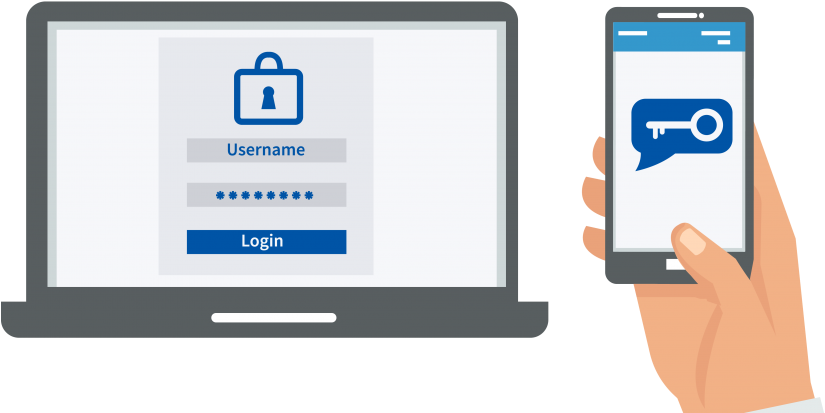
- Two-Factor Authentication (2FA): Enable 2FA for your cloud storage and backup services to enhance security, ensuring that your data is protected from unauthorized access.
Tips for Maintaining an Organized Digital Life Long-Term
Maintaining an organized digital life requires consistency and a proactive approach. By adopting long-term habits and using the right tools, users can keep their digital spaces organized over time.
Regular Maintenance
- Monthly Reviews: Set a reminder to review and organize your digital files once a month. Delete unnecessary files, organize new documents, and back up important data to keep your digital life clutter-free.
- Stay on Top of New Files: Each time you download or create a new file, immediately decide where it belongs. Avoid letting files accumulate in random places on your desktop or in your "Downloads" folder.
Use Automation
- Automate File Organization: Tools like Hazel (for macOS) or DropIt (for Windows) can help automate file organization based on rules you set (e.g., automatically move photos to a specific folder).
- Task Automation for Backups: Set your cloud or external backups to run automatically, ensuring you never forget to back up critical data.
Implement a Digital Declutter Routine
- Daily Cleanup: Take five minutes each day to delete unnecessary emails or files, keeping your digital spaces organized on a consistent basis.
- Inbox Zero: Aim for "Inbox Zero" by regularly cleaning and organizing your email inbox. This reduces stress and keeps communication streamlined.
In conclusion efficient Digital Organization & File Management is essential for maintaining a productive, secure, and stress-free digital life. By using the right tools and implementing effective strategies for organizing files, photos, and data, individuals can streamline their workflows, keep digital spaces free of clutter, and ensure the long-term security of important information. Regular maintenance, thoughtful categorization, and a commitment to organization can help users stay on top of their digital lives, enhancing both personal and professional efficiency.
Ethics & Responsibility in the Digital World UP Tech-Savvy Socializing & Communication